
JustStream
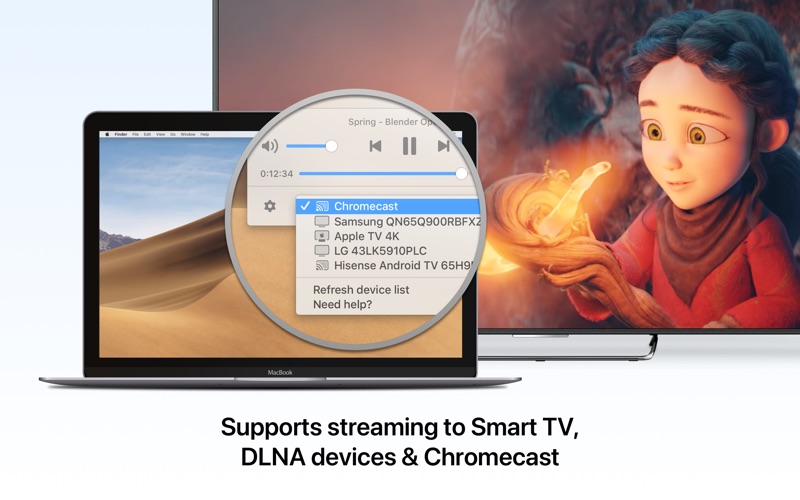
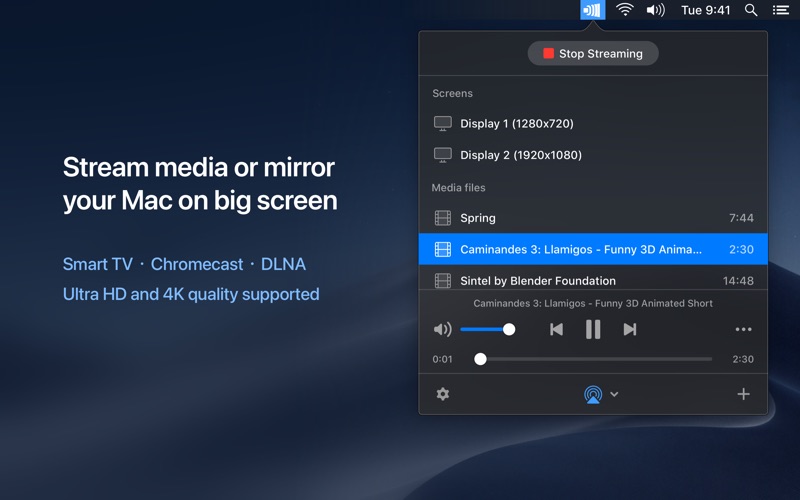
Discover how JustStream for Mac lets you effortlessly mirror your screen and stream media to Smart TVs, Apple TV, and Chromecast without any cables.
Eliminate Cables and Stream Mac Media Effortlessly
For Mac users seeking a seamless way to share their screen or media files with a larger display, JustStream Mac screen mirroring offers an elegant, hardware-free solution. Developed by Electronic Team, Inc., this utility resides quietly in your menu bar, ready to project your local video files, audio, or entire desktop onto a Smart TV, Apple TV, or Chromecast device at a moment's notice.
Key Capabilities of JustStream Mac Screen Mirroring
Whether you want to deliver a presentation from your MacBook or watch a high-definition movie on your living room television, this application bridges the gap between your computer and your receiver devices with ease.
Universal Format Compatibility and Real-Time Transcoding
- Broad Format Support: The software handles almost any popular media format, including AVI, FLV, MKV, MP4, MOV, WMV, MP3, and WAV.
- On-the-Fly Conversion: If your receiving display doesn't natively support a specific file format, the application automatically transcodes the video during playback without requiring manual pre-conversion.
- Apple Silicon Optimization: Native M1 support ensures that real-time video conversion remains highly efficient, keeping CPU usage minimal.
Advanced Playback and Subtitle Controls
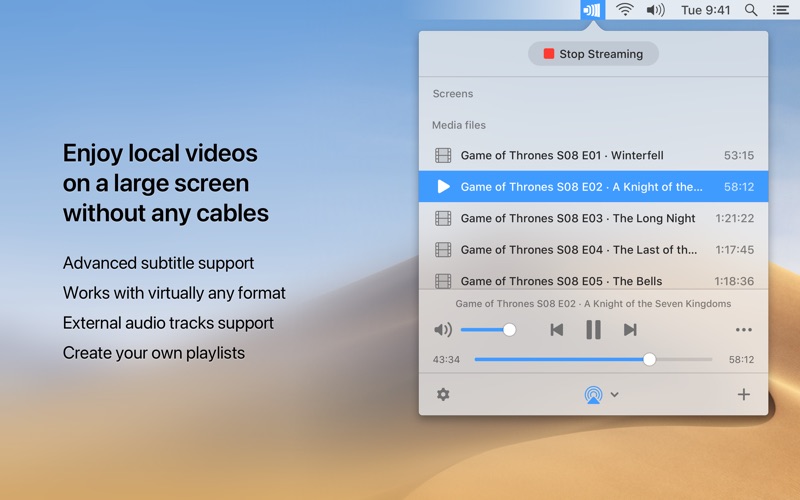
JustStream is designed to preserve the full media experience. It fully supports both embedded and external audio tracks, as well as multiple subtitle formats. When streaming to Chromecast devices, users can even customize the subtitle font, size, and color for optimal readability. Additionally, the convenient playlist feature allows you to queue up multiple video clips or audio tracks for continuous, uninterrupted playback.
Flexible Screen Mirroring Features
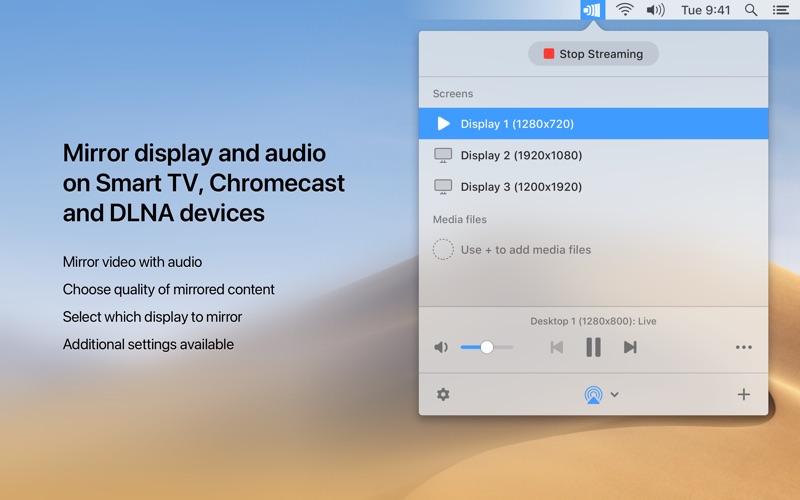
Beyond simple file streaming, the JustStream Mac screen mirroring function provides comprehensive control over how your desktop is projected:
- Display Selection: Choose exactly which connected monitor or virtual screen you want to mirror.
- Aspect Ratio Fitting: Automatically scale the streaming video to perfectly fit your destination TV screen.
- Cursor Customization: Decide whether to show or hide the mouse cursor, and choose whether to highlight mouse clicks.
- Quality Control: Set your output quality manually from HD (720p) up to Full HD (1080p), or let the auto-setting adjust based on your network.
Is JustStream Right for You?
This utility is ideal for professionals who need to present without messing with HDMI adapters, as well as home entertainment enthusiasts who want to enjoy local media on a big screen. Its discreet menu bar placement ensures it stays out of your way until needed.
The free version provides 20 minutes of continuous streaming and mirroring, allowing you to fully test compatibility with your home network. Unlimited access is available via an in-app PRO upgrade. To try this streamlined utility yourself, visit the official Mac App Store to download the application and experience hassle-free mirroring today.